











How Is WhatsApp Used for eCommerce?
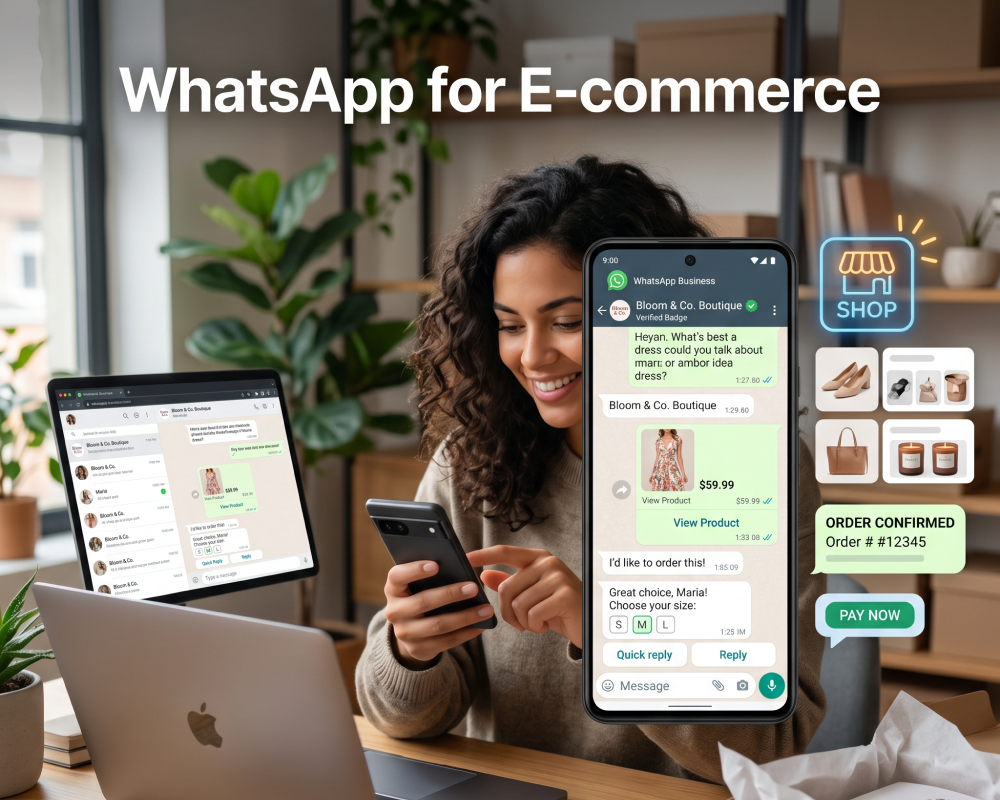
WhatsApp allows eCommerce businesses to sell directly within the app, covering the entire customer journey from product discovery to payment and support. Utilizing WhatsApp Business API or App, brands can use product catalogs, automated notifications (shipping/order updates), abandoned cart recovery, and personalized marketing to increase sales and enhance engagement.
eCommerce businesses can use WhatsApp’s business-focused tools, such as WhatsApp Business and the WhatsApp Business API, to interact with shoppers, answer queries, send order updates, and showcase product catalogs. This approach creates a conversational commerce experience, allowing brands to communicate directly with customers in a channel they already use daily.
Unlike traditional eCommerce channels, WhatsApp provides a more personalized, real-time interaction that can replicate the feel of in-store shopping. Businesses can send product recommendations, handle customer support, and enable transactions within the app itself. As a result, WhatsApp acts as both a communication tool and a transactional platform.
This is part of a series of articles about WhatsApp for business.
Why Use WhatsApp for eCommerce?
A growing number of ecommerce businesses use WhatsApp because it combines communication, marketing, and support in a single channel. It reduces friction in the buying process and meets customers where they already spend time:
- High open and response rates: Messages on WhatsApp are typically opened within minutes.
- Direct and personalized communication: Businesses can have one-to-one conversations with customers.
- Faster customer support: Real-time messaging reduces wait times.
- Seamless shopping experience: Customers can browse catalogs, ask questions, and place orders in one chat.
- Automation and scalability: With the WhatsApp Business API, businesses can automate responses, notifications, and workflows.
- Rich media and product showcase: Businesses can share images, videos, and documents.
- Order updates and notifications: Automated messages keep customers informed about order status, shipping, and delivery.
- Global reach: WhatsApp is widely used across regions.
- Cost-effective communication: Compared to traditional channels like SMS or call centers, WhatsApp reduces communication costs.
- Improved conversion rates: Quick responses and personalized engagement help move customers through the buying process.
How WhatsApp Fits into the eCommerce Customer Journey
Awareness (Top of Funnel)
At the awareness stage, WhatsApp helps brands reach potential customers through direct messaging. By sharing content, product launches, and interactive campaigns, businesses can introduce their brand to a wider audience. Integration with social ads and click-to-chat links allows users to start WhatsApp conversations directly from platforms like Facebook and Instagram.
WhatsApp’s group messaging and broadcast features enable brands to nurture interest without overwhelming users. Marketers can deliver curated content, early-bird offers, or event invitations to segmented audiences to keep messaging relevant.
Consideration (Mid Funnel)
During the consideration phase, WhatsApp provides product information and personalized assistance. Customers can chat with support agents to ask questions, request comparisons, or seek recommendations tailored to their needs. This real-time interaction reduces friction and builds trust.
WhatsApp’s multimedia capabilities allow businesses to send images, videos, and documents that clarify product features and benefits. Customers can receive catalogs, how-to guides, or demo videos within the app, helping them evaluate options.
Conversion (Bottom Funnel)
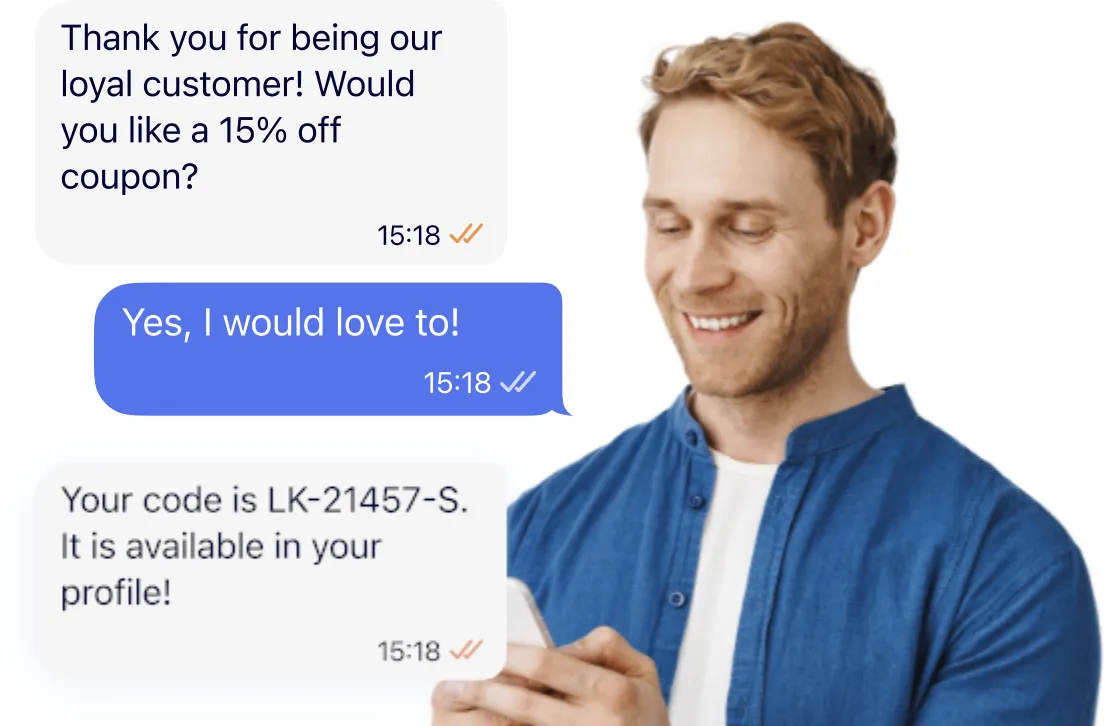
At the conversion stage, WhatsApp supports smooth and secure transactions. Businesses can send personalized offers, discount codes, or payment links within the chat, allowing customers to complete purchases without leaving the app. The immediacy of messaging reduces abandoned carts and speeds up decisions.
Order confirmations, invoices, and real-time payment notifications simplify the buying process. WhatsApp’s end-to-end encryption supports transaction security, and businesses can address last-minute questions or payment issues in real time.
Retention and Loyalty
After a purchase, WhatsApp supports retention and customer loyalty. Businesses can send post-purchase follow-ups, request feedback, and offer ongoing support. Proactive outreach, such as care tips, warranty updates, or loyalty rewards, keeps customers engaged.
Loyalty programs and exclusive offers can be delivered directly to customers via WhatsApp. Automated messages can remind customers of upcoming sales or restock notifications. Ongoing two-way communication helps build long-term customer relationships.
Key WhatsApp eCommerce Use Cases
Customer Support (Real-Time Replies, FAQs)
WhatsApp supports customer service with real-time responses. Businesses can address queries, resolve issues, and provide product information within a chat interface. This reduces response time and improves customer satisfaction by keeping communication immediate and contextual.
WhatsApp also supports automated responses and FAQ bots, allowing businesses to handle common questions. Companies can combine live agents with automation to manage support requests.
Product Discovery via Catalogs
WhatsApp Business allows brands to create digital catalogs that customers can browse in the app. These catalogs showcase products with images, descriptions, and pricing. This removes friction by allowing customers to explore products without leaving the conversation.
Catalogs can be shared during conversations or in response to customer queries. Businesses can tailor catalog recommendations to individual preferences. This enables more relevant product discovery based on user behavior and past interactions.
Order Confirmations and Tracking
Order confirmations and tracking updates sent via WhatsApp keep customers informed. Automated messages can confirm receipt, provide estimated delivery dates, and share tracking links. This improves transparency and reduces the need for customers to check order status manually.
WhatsApp can also deliver shipping updates, delay notifications, and delivery confirmations. These proactive updates help manage expectations and reduce support inquiries. They also create a consistent post-purchase experience, keeping customers engaged even after checkout.
Upselling and Cross-Selling
WhatsApp’s personalized messaging supports upselling and cross-selling. Businesses can use customer purchase history and preferences to recommend complementary products or higher-value alternatives.
Automated triggers can send upsell or cross-sell offers after a purchase or during support interactions. This ensures recommendations are timely and aligned with customer intent.
Top WhatsApp Features You Should Use for eCommerce
1. Quick Replies and Templates
Quick replies and message templates provide prewritten responses for common queries and scenarios. These tools allow agents to answer questions, confirm orders, or share information quickly. Templates can be customized to reflect brand voice and customer needs.
Using quick replies and templates reduces manual effort and helps maintain consistency. Templates must be preapproved for outbound communication to comply with WhatsApp policies.
2. Broadcast Messages
Broadcast messages allow businesses to send updates, promotions, or announcements to multiple customers while maintaining one-to-one chats. This feature can be used for time-sensitive information, such as flash sales or restock alerts.
WhatsApp’s broadcast functionality supports segmentation, allowing brands to target customer groups based on purchase history, location, or preferences. Businesses must ensure recipients have opted in to receive marketing messages.
3. Chatbots and Automation
Chatbots and automation handle routine tasks and customer interactions. Bots can answer FAQs, guide customers through product selection, and process orders. This reduces response time and ensures 24/7 availability without increasing support workload.
Automation can also be used for transactional updates, appointment reminders, and feedback collection. Complex queries can be handed over to live agents when needed. This balance improves efficiency while maintaining service quality.
4. Payment Integrations
Payment integrations allow customers to complete purchases within WhatsApp. Businesses can send secure payment links or QR codes, or use native payment features where available. This removes the need to redirect users to external checkout pages.
Integrated payments keep the checkout process within WhatsApp and provide instant payment confirmations. This reduces drop-off during checkout and improves conversion rates. It also simplifies the buying experience by keeping the entire transaction within a single conversation.
5. Multi-Agent Inbox
A multi-agent inbox allows multiple team members to manage customer conversations from a shared dashboard. It supports assignment and tracking of chats. This ensures that no customer message is missed or left unresolved.
With role-based access and internal notes, teams can coordinate on customer issues. Reporting tools help monitor performance. This enables better workload distribution and continuous improvement in response times and service quality.
Best Practices for WhatsApp eCommerce Success
Organizations using WhatsApp for eCommerce should consider the following practices.
1. Build Trust with a Fully Optimized Business Profile
A complete WhatsApp Business profile acts as your storefront within the app. It should include your business name, a clear description, website link, email, physical address if relevant, and operating hours.
Your WhatsApp profile should match your website and social media branding in tone, visuals, and information. Using a high-quality logo improves recognition. If available, apply for WhatsApp Business verification. The verified badge signals authenticity. You can also use catalogs and greeting messages to guide users when they open a chat.
2. Focus on Opt-In First (Permission-Based Marketing)
WhatsApp is a permission-driven channel, so you must obtain user consent before sending messages, especially promotional ones. Opt-in can be collected during checkout, account registration, lead forms, or through click-to-chat ads.
Set expectations at the point of opt-in by explaining what type of messages users will receive and how often. A double opt-in approach, where users confirm their subscription via WhatsApp, can improve list quality. Provide a simple way for users to unsubscribe, such as replying with a keyword. This helps maintain compliance with WhatsApp policies.
3. Segment Your Audience for Personalization
Segmentation allows you to deliver content that aligns with user intent. You can segment customers based on past purchases, browsing behavior, average order value, location, or engagement history.
Segmentation can also be driven by events and triggers. For example, users who viewed a product but did not purchase can receive follow-ups, while loyal customers can receive early access offers. Personalization should reflect customer needs and preferences, such as recommending products related to past purchases or sending restock alerts for previously viewed items.
4. Use Rich Media to Drive Conversions
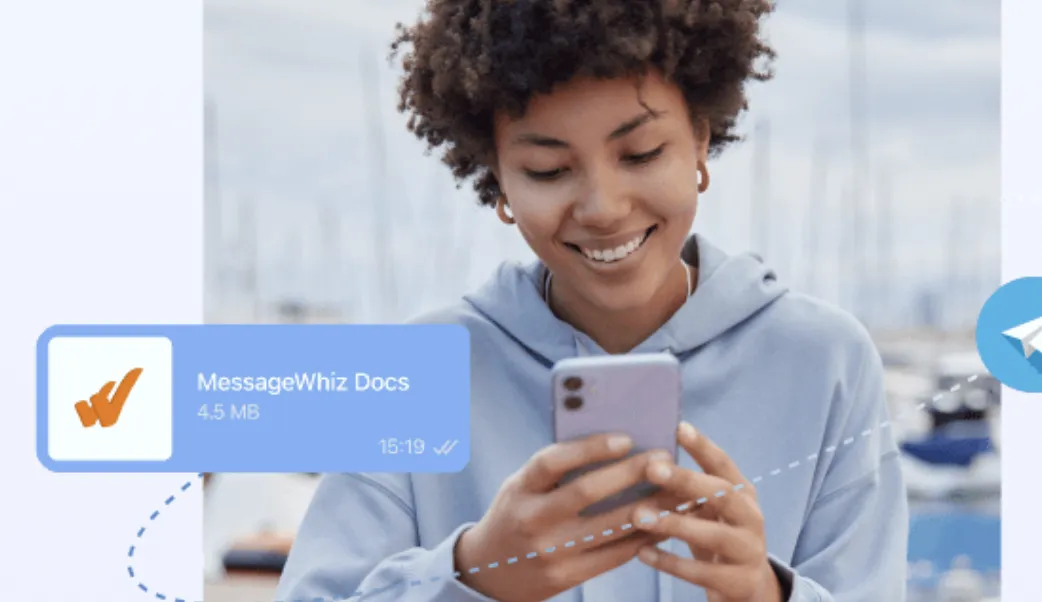
Rich media changes how products are presented. Businesses can use images, short videos, GIFs, and PDFs to communicate product details. Images support quick browsing, while videos show product usage. Documents such as size guides or spec sheets provide additional information.
Combining formats within a conversation supports purchasing decisions. Interactive elements can also support engagement, such as sending multiple product options and allowing customers to reply with their preference.
5. Recover Abandoned Carts Strategically
Cart abandonment is common in ecommerce, and WhatsApp provides a way to recover these opportunities. Timing and relevance are important. Sending a reminder shortly after abandonment can improve recovery rates. Messages should be concise and action-oriented. Include the product name, image, price, and a checkout link.
A multi-step approach can be used, starting with a reminder followed by a value-driven message such as a discount or free shipping. Personalization, such as referencing the exact items left in the cart, can increase effectiveness. Include a support option so customers can ask questions before completing the purchase.
Messaging for WhatsApp eCommerce with MessageWhiz
Running WhatsApp eCommerce at scale means you need more than just message delivery. You need templating, segmentation, two-way conversations, and automation working together from a single platform. MMDSmart MessageWhiz lets you send interactive WhatsApp broadcasts to segmented recipient lists, manage inbound customer conversations through a shared two-way inbox, and build automated chatbot flows that handle product queries, order confirmations, and support handoffs, all without switching between tools.
Personalizing WhatsApp messages at scale is built into the broadcast workflow. You can insert first name, last name, and custom data fields directly into message content, and apply CTR-based segmentation to test a first batch before releasing the rest based on actual engagement. For teams managing high volumes of inbound conversations, the multi-agent inbox lets your team assign, track, and respond to customer chats, with chatbot automation handling routine interactions around the clock and escalating to a live agent when the conversation requires it.
For businesses that need WhatsApp messaging connected to their broader eCommerce stack, MessageWhiz integrates via API, so your order management system, CRM, or AI agents can trigger transactional messages, push shipping updates, and retrieve delivery data programmatically. Whether you’re sending abandoned cart reminders based on customer history or automating post-purchase follow-ups on the right channel at the right time, the platform gives you the infrastructure to run WhatsApp as a genuine commerce channel, not just a notification pipe.