












What Are OTP Messages?
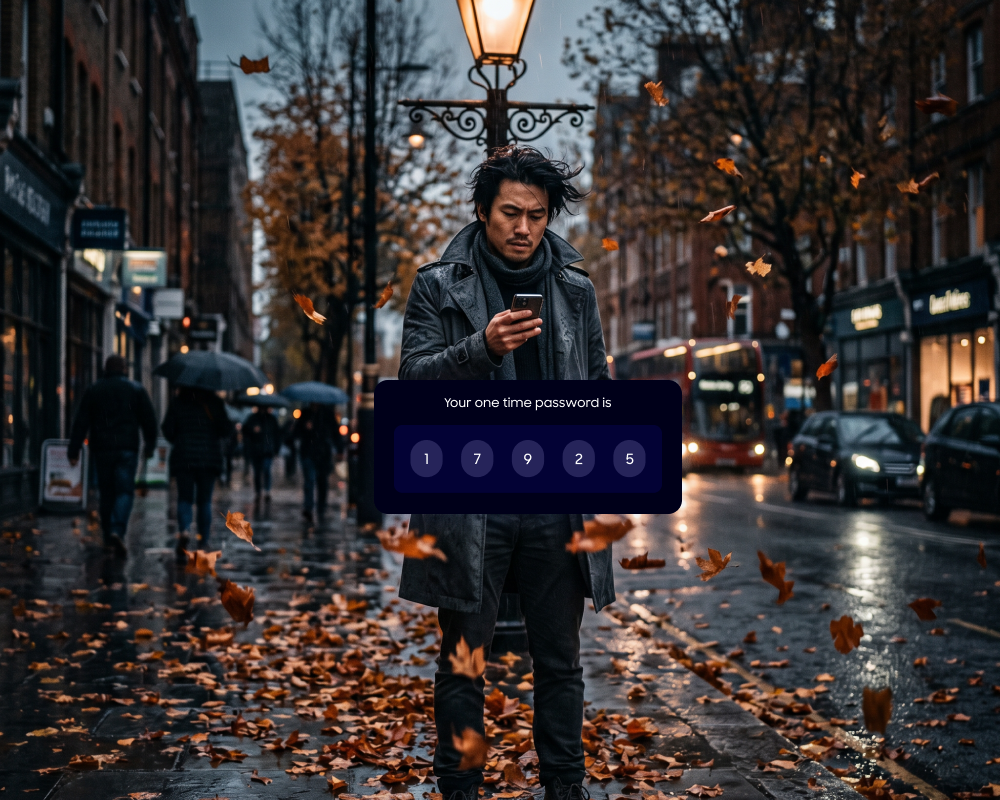
OTP (One-Time Password) messages are temporary, secure codes (usually 4–8 digits) sent via SMS, email, or app to verify a user’s identity. They act as a second layer of authentication (2FA) for logins, transactions, and password resets, expiring after one use or a short time, typically 5-10 minutes.
Unlike static passwords, OTPs are generated on demand and expire after a single use or after a limited time window. This design significantly mitigates the risks associated with password reuse and credential theft.
OTP messages can be delivered through various channels, including SMS, email, voice calls, or dedicated authenticator apps. Their flexibility and ease of deployment make them a popular choice for two-factor authentication (2FA) and transaction verification across a wide range of industries.
Benefits of OTP Messages
OTP messages are widely used because they improve both security and user experience without adding much complexity to the system. They are easy to implement and work across many platforms, making them a practical choice for modern authentication flows:
- Stronger security layer: OTPs add a second factor beyond passwords. Even if a password is compromised, access is blocked without the one-time code.
- Reduced risk of credential theft: Since OTPs expire quickly and can only be used once, stolen codes have little value to attackers.
- Protection against password reuse: Users often reuse passwords across services. OTPs reduce the impact of this behavior by requiring a fresh code for each login or action.
- Real-time user verification: OTPs confirm that the user is present and actively performing the action.
- Flexible delivery channels: OTPs can be sent via SMS, email, voice, or authenticator apps.
- Easy integration: OTP systems integrate with existing authentication flows and require minimal changes to backend infrastructure.
- Improved trust and compliance: Many industries require multi-factor authentication. OTPs help meet regulatory requirements.
- Scalable for different use cases: OTPs can be used for login, transaction approval, account recovery, and device verification across applications of any size.
How OTP Messages Work
1. User Initiates Login or Transaction
The OTP process begins when a user attempts to log in to an account or initiate a sensitive transaction, such as transferring funds or changing account settings. At this point, the system recognizes that additional verification is required to confirm the user’s identity or authorization for the action. This step prevents unauthorized access, especially when the action involves sensitive data or financial assets.
Once the need for verification is identified, the system prompts the user to enter an OTP as part of the authentication workflow. The user is informed that a one-time code will be sent to their registered contact method, such as a mobile phone or email address.
2. System Generates OTP
After receiving the authentication or transaction request, the system generates a unique, random OTP. The code is typically created using a secure cryptographic algorithm, ensuring that it is unpredictable and cannot be easily guessed or reused. The OTP may consist of numbers, letters, or a combination, and is designed to be short enough for quick entry but long enough to prevent brute-force attacks.
The generated OTP is then associated with the user’s current session or transaction. This linkage ensures that the code can only be used for the action it was generated for. The system also timestamps the OTP and sets an expiration window, after which the code becomes invalid. This mechanism prevents replay attacks with intercepted or delayed codes.
3. OTP Sent via SMS, Email, or App
Once the OTP is generated, the system delivers it to the user through a chosen communication channel. The most common methods are SMS messages to a mobile phone, emails to a registered address, or notifications through an authentication app. The channel used often depends on the sensitivity of the transaction and the user’s preferences or device availability.
The delivery process is designed to be fast and reliable so the user can proceed with authentication or transaction verification without delays. Some systems support sending the OTP through multiple channels simultaneously to increase the likelihood that the user receives the code on time.
4. User Enters Code
After receiving the OTP, the user enters the code into the application or website as prompted. The inputted OTP is then submitted to the system for validation. Accuracy is important, as even minor errors will result in a failed authentication attempt.
The user typically has a limited time window to enter the OTP before it expires. If the code is entered after expiration or if multiple incorrect attempts are made, the system may prompt the user to request a new OTP or take additional security measures.
5. System Verifies and Grants Access
Once the user submits the OTP, the system checks the entered code against the one it generated and sent. The verification process includes confirming that the code matches, is associated with the correct session or transaction, and has not expired. If all criteria are met, the system grants access or authorizes the requested action.
If the OTP is incorrect, expired, or does not match the expected criteria, the system denies access or blocks the transaction. In some cases, repeated failed attempts may trigger additional security measures, such as account lockout or user alerts. This stage maintains the integrity of the authentication process.
Types of OTP Messages
SMS OTP
SMS OTP is the most widely used form of one-time password delivery. In this method, the system sends a numeric or alphanumeric code via text message to the user’s registered mobile phone number. Users do not need to install additional apps or remember new credentials, making it an accessible choice.
However, SMS OTPs can be vulnerable to interception through SIM swap attacks or SMS forwarding. Despite these limitations, SMS OTP remains a practical solution for many applications. Organizations often use SMS OTP as a default two-factor authentication method for user logins, transactions, and password resets.
TOTP (Time-Based OTP)
TOTP, or time-based one-time password, generates the OTP using a shared secret key and the current timestamp. The code changes at fixed intervals, typically every 30 seconds, ensuring that each code is valid for only a brief period. TOTP is commonly implemented in authenticator apps like Google Authenticator or Microsoft Authenticator.
Because TOTP codes are generated locally on the user’s device, they are not exposed to SMS interception and network-based attacks. The method requires initial setup, where the user links their account with the authenticator app using a QR code or secret key. Once set up, users can generate OTPs without an internet connection.
HOTP (HMAC-Based OTP)
HOTP, or HMAC-based one-time password, generates OTPs using a combination of a shared secret key and a counter that increments with each authentication request. Unlike TOTP, which is time-based, HOTP codes remain valid until they are used. HOTP is often used in hardware tokens or software applications for secure access.
The security of HOTP relies on the uniqueness of each code and the integrity of the shared secret. Because the code does not expire based on time but on usage, unused codes could be exploited if intercepted. With proper implementation and secure management of counters and secrets, HOTP remains a viable option for event-based OTP generation.
Email OTP
Email OTP delivers the one-time password to the user’s registered email address. This method is commonly used for account verification, password resets, and transaction approvals. Email OTPs are easy to implement and can be integrated with existing email infrastructure.
The main drawback of email OTP is its dependence on the security of the user’s email account. If an attacker gains access to the email inbox, they could intercept OTP codes and compromise associated accounts. To reduce this risk, email OTP should be used with other security measures, such as strong email passwords and two-factor authentication for email accounts.
App-Based OTP
App-based OTPs are generated using dedicated mobile applications, such as Google Authenticator, Authy, or proprietary enterprise apps. These apps use either TOTP or HOTP algorithms to produce codes on the user’s device.
App-based OTPs offer higher security than SMS or email because the codes are generated locally and are not transmitted over insecure networks. App-based OTPs allow codes to be generated even when the device is offline. However, initial setup can be more complex for some users, requiring installation and configuration of the app.
Voice Call OTP
Voice call OTP delivers the one-time password through an automated phone call to the user’s registered number. The user answers the call and listens to a recorded voice that reads out the OTP code. This method is useful in regions where SMS delivery is unreliable or for users who may have difficulty reading text messages.
Voice OTP can be slower than SMS and may be inconvenient in noisy environments or when users cannot answer calls. Security risks are similar to SMS, including SIM swap attacks or call interception, but it remains a fallback option when other delivery channels fail.
Related content: Read our guide to OTP services
Common Use Cases and Examples of OTP Messages
Banking and Financial Transactions
OTPs are widely used in banking to authorize sensitive operations such as fund transfers, bill payments, or changes to account details. When a user initiates a transaction, the system sends an OTP to their registered device to confirm the action. This ensures that even if login credentials are compromised, unauthorized transactions cannot be completed without access to the OTP.
Banks also use OTPs to meet regulatory requirements for strong customer authentication. The OTP acts as a second factor, verifying that the transaction is being performed by the account holder in real time.
eCommerce Checkout Verification
eCommerce platforms use OTPs during checkout to verify high-value purchases or confirm payment actions. After entering payment details, users may be prompted to enter an OTP sent to their phone or email. This reduces the risk of fraudulent transactions. OTPs also help merchants reduce chargebacks by adding an extra verification step.
OTPs can also be used to verify delivery details or confirm changes before order fulfillment. For example, an OTP may be required to confirm a shipping address change or to release an order for dispatch. This reduces fraud scenarios where attackers attempt to redirect deliveries after purchase.
Account Login and Signup
OTPs are commonly used during account creation and login processes to verify user identity. During signup, an OTP confirms that the provided email or phone number is valid and controlled by the user. For login, OTPs are used as part of two-factor authentication. After entering a password, the user must provide the OTP to gain access. This adds a second layer of security.
OTPs can also support passwordless authentication flows, where users log in using a one-time code instead of a password. This reduces reliance on stored credentials and lowers the risk of password-related attacks such as phishing or credential stuffing.
Password Resets
When users forget their passwords, OTPs are used to verify their identity before allowing a reset. The system sends a one-time code to the user’s registered email or phone number, which must be entered to proceed with creating a new password. OTP-based password resets are time-bound and session-specific, reducing the risk of misuse.
Additional safeguards can be applied by combining OTP verification with device or behavior checks. For example, if a reset request comes from an unfamiliar device or location, the system may require additional validation steps. This layered approach strengthens account recovery security.
Social Media Authentication
Social media platforms use OTPs to secure user accounts and prevent unauthorized access. OTPs are often required when logging in from a new device, location, or after detecting suspicious activity. They are also used for two-factor authentication on social media accounts. By requiring an OTP in addition to a password, platforms reduce the risk of account takeover.
OTPs are also used to confirm sensitive account changes, such as updating email addresses, phone numbers, or enabling new security settings. This ensures that even if a session is compromised, critical changes require fresh verification from the account owner.
OTP Messages: Risks and Limitations
Susceptibility to SIM Swap Attacks
SMS-based OTP systems are vulnerable to SIM swap attacks, where an attacker convinces a mobile carrier to transfer a victim’s phone number to a new SIM card. Once the number is hijacked, the attacker can receive incoming OTP messages and bypass authentication mechanisms.
Because OTP delivery depends on control of the phone number, any compromise at the carrier level can undermine security. Organizations often mitigate this risk by combining OTPs with additional verification methods or monitoring for suspicious account changes.
Device and Account Dependency
OTP authentication relies on access to a specific device or account, such as a mobile phone or email inbox. If users lose their device, change phone numbers, or cannot access their email, they may be locked out of their accounts.
Recovery processes can introduce security risks. If fallback mechanisms are weak, attackers may exploit them to bypass OTP verification. Systems must balance security with reliable account recovery options.
Delivery and Reliability Issues
OTP delivery depends on external systems such as telecom networks, email servers, or internet connectivity. Delays or failures in message delivery can disrupt the user experience and prevent timely authentication.
These reliability issues can lead to repeated OTP requests, increasing system load and user frustration. To address this, systems often implement retry mechanisms, multi-channel delivery, or fallback options such as voice calls or authenticator apps.
Best Practices for Successfully Delivering OTP Messages
Here are some of the ways that organizations can ensure that OTP messages are secure and user-friendly.
1. Keep OTP Messages Short, Clear, and Actionable
OTP messages should contain only essential information: the code, its validity period, and the context (login, transaction, etc.). Avoid extra text that can confuse users or hide the code.
Use a consistent structure so users can quickly recognize where the code appears. For example, place the OTP at the beginning of the message.
Include a short instruction such as “Do not share this code” to reinforce security awareness. Keep wording simple and scannable so users can read and act on it within seconds, especially on mobile devices.
2. Use a Short Expiration Time (TTL)
OTPs should expire quickly, typically within 30 seconds to a few minutes. A short time-to-live reduces the window in which an intercepted code can be used. For sensitive actions like financial transactions, use shorter expiration times. For less critical flows like email verification, slightly longer windows may be acceptable.
The system should enforce expiration strictly and invalidate older codes when a new OTP is generated. Ensure the UI clearly communicates expiration to users and allows easy regeneration without confusion or repeated failures.
3. Ensure High Deliverability
Reliable and fast delivery is critical for OTP usability. Delays can lead to failed logins and repeated requests, increasing system load and user frustration. Implement retry logic with rate limits to prevent abuse while helping users receive their codes. If delivery fails, offer fallback options such as voice calls or app-based OTPs.
Track delivery metrics such as success rate, latency, and bounce rates. Use this data to optimize routing, providers, and channels to maintain consistent delivery performance across regions and networks.
4. Use Secure OTP Generation and Storage
OTPs must be generated using cryptographically secure random functions or standard algorithms like TOTP or HOTP. Store OTPs securely, preferably as hashed values, and associate them with a specified session, device, or transaction.
Limit the number of verification attempts and apply rate limiting to prevent guessing attacks. Avoid logging OTP values in plaintext, and ensure secure handling across all services that process them. Encrypt OTP data in transit and enforce strict access controls on systems that generate or validate codes.
5. Use Multi-Channel OTP for Critical Flows
For high-risk operations, consider sending OTPs through multiple channels, such as SMS, email, or authenticator apps. Organizations can also use step-up authentication, where additional channels are triggered only when risk signals are detected, such as new devices or unusual locations.
Multi-channel delivery helps mitigate single-point failures or compromises. For example, if SMS is unavailable or insecure in a region, app-based OTPs can serve as an alternative. Prioritize more secure channels, such as authenticator apps, for sensitive transactions whenever possible.
OTP Messages at Scale with MessageWhiz
When authentication delays cost you conversions, delivery reliability isn’t optional. MMDSmart MessageWhiz lets you send OTP messages across SMS, WhatsApp, Viber, and more from a single platform, so you can reach users on their preferred channel.
Every OTP message sent through the platform is logged in your workspace, giving you a full audit trail filtered by date range. Combined with real-time delivery analytics, you can monitor success rates, spot bottlenecks by country or network, and act on issues before they affect users at scale. For high-risk flows where a single failed delivery means a blocked transaction or a lost customer, that visibility matters.
For teams that need OTP as part of a broader authentication or engagement workflow, MMDSmart MessageWhiz connects your messaging directly to your CRM, AI agents, or other management systems via API. You can trigger OTP sends programmatically, manage recipient data, and track outcomes, all within the same platform you use for campaigns, two-way chats, and customer communications.